What do I get in a few seconds?
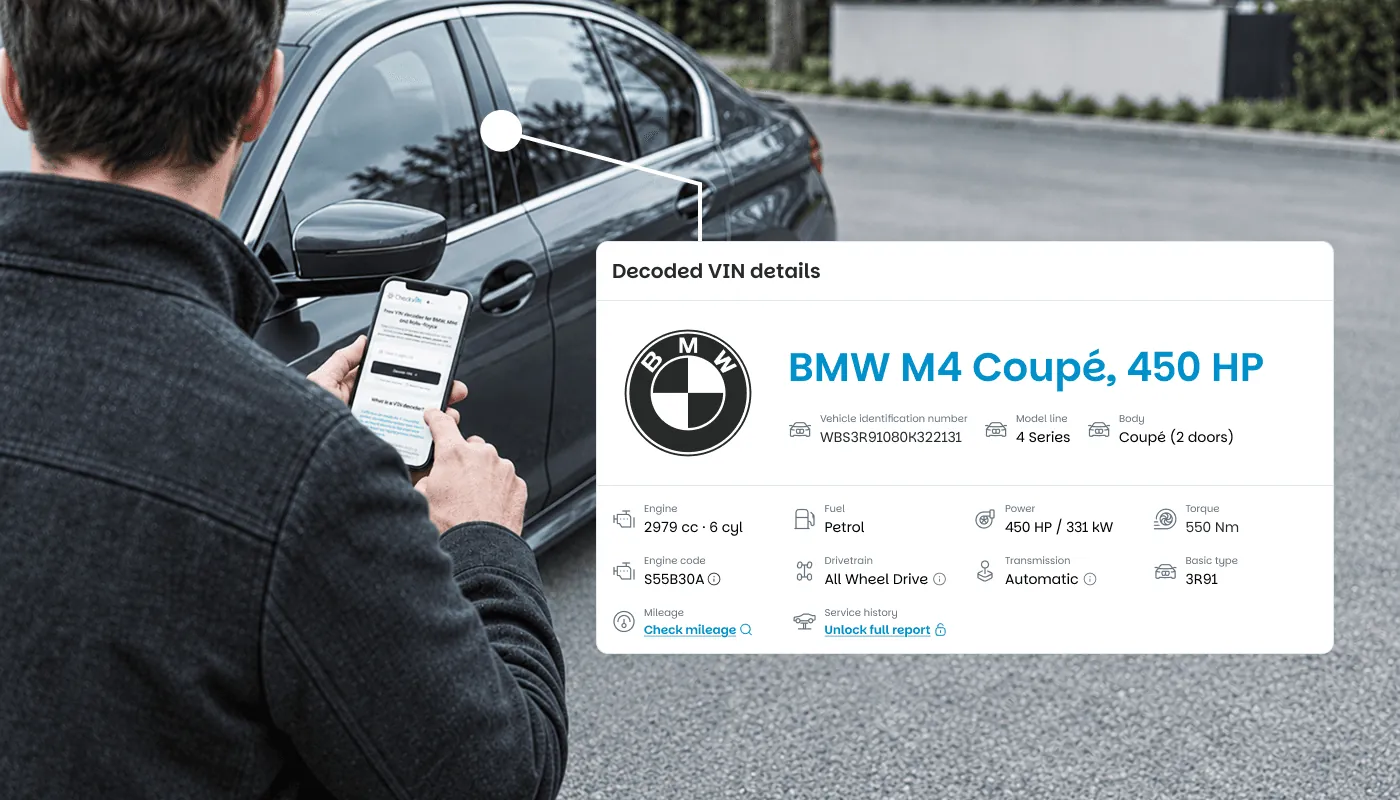
- Model line, series and body, with a photo of the car
- Engine code, displacement, cylinders and output
- Gearbox, transmission number and drive, including whether it really left the factory as all wheel drive
- Paint and upholstery, with their codes
- The factory, the market it was built for and the production and delivery dates
- Every factory option, code by code
Adverts get written from memory, or from hope. A VIN does not. If the listing says one thing and the decoder says another, you have learned something useful before spending a euro or a Saturday.
How is it different from other free VIN decoders?
Most free decoders pay for themselves with ads: banners wrapped around the result, pop-ups, sometimes a video before the specification even loads. Ours has none. You type the VIN and the result is the only thing on the screen.
It also leaves room for a shortlist. Choosing a used BMW usually means checking several cars in one evening: the decoder takes up to three new VINs an hour and ten a day, and coming back to a car you already decoded does not count.
And it runs around the clock. A lookup at midnight on a Sunday, while you are scrolling listings, works the same as one on a Tuesday morning.
What does the decoder not show?
Everything that happened after the car left the plant. That is the difference between reading a number and querying the records tied to it.
| Free VIN decoder | CheckVIN report | |
|---|---|---|
| Factory specification and photo | Yes | Yes |
| Factory options (option codes) | Yes | Yes |
| Service and repair history | No | Yes |
| Mileage readings over time | No | Yes |
| Technical campaigns | No | Yes |
| Warranty, retrofits and restrictions | No | Yes |
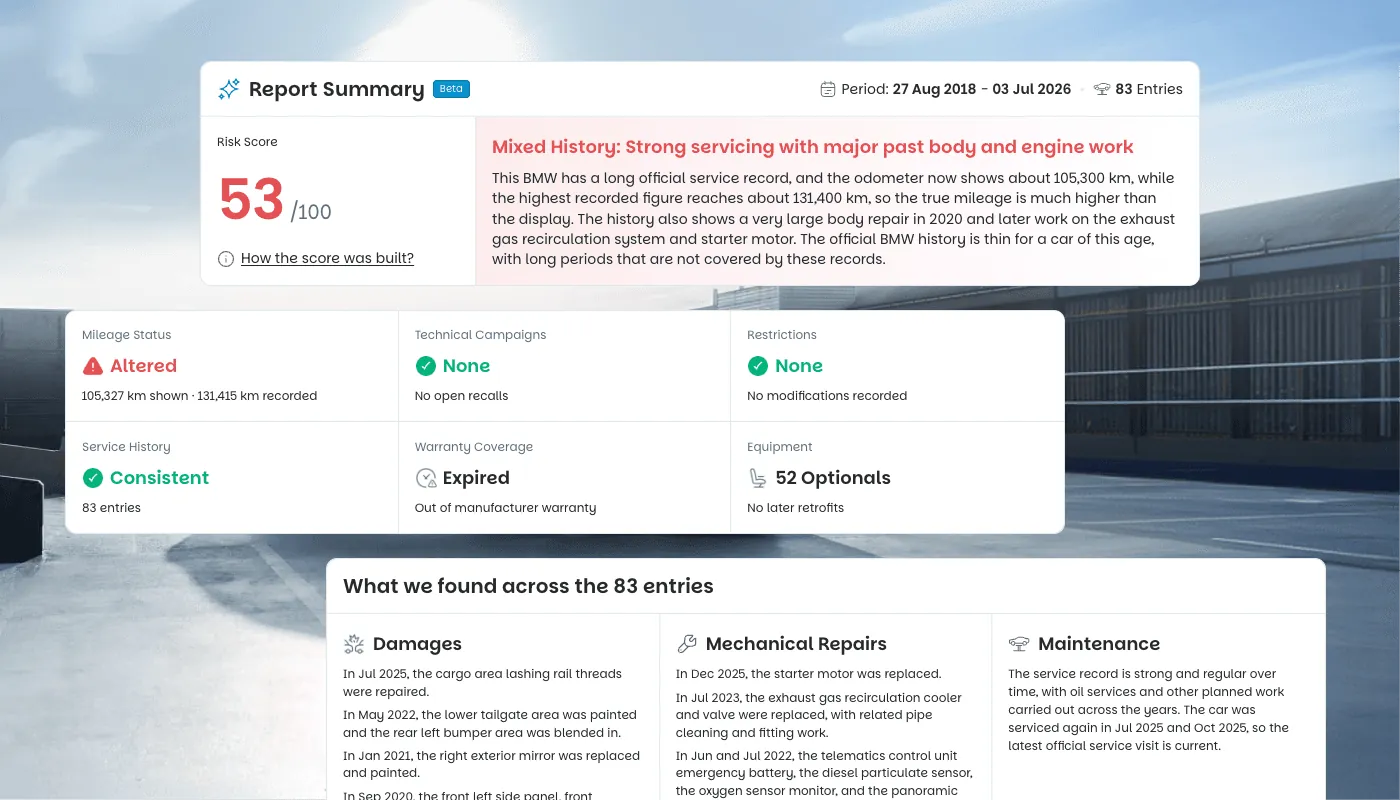
| Report Summary and score | No | Yes |
| Price | Free | From 10.99 euro |
Where do I find the VIN?
Three reliable places: the base of the windscreen on the driver's side, the driver's door jamb and the registration document. More detail in BMW VIN number explained. A quick tip that solves most failed lookups: the letters I, O and Q are never used in a VIN, so anything that looks like one is a 1 or a 0.
And if a seller will not give you the VIN before you travel, that is information too.
When should I go from the decoder to the full report?
The moment the car is still on your shortlist. The decoder tells you what the car is. The report tells you what it has been through: every recorded service visit, every mileage reading plotted over time so a rollback becomes obvious, open technical campaigns, warranty, retrofits and restrictions, all opened by a summary that condenses the history into a single 0 to 100 score.
That is the part that changes the price you pay, or the car you walk away from.