
Mileage & rollback
Spot an odometer rollback by VIN
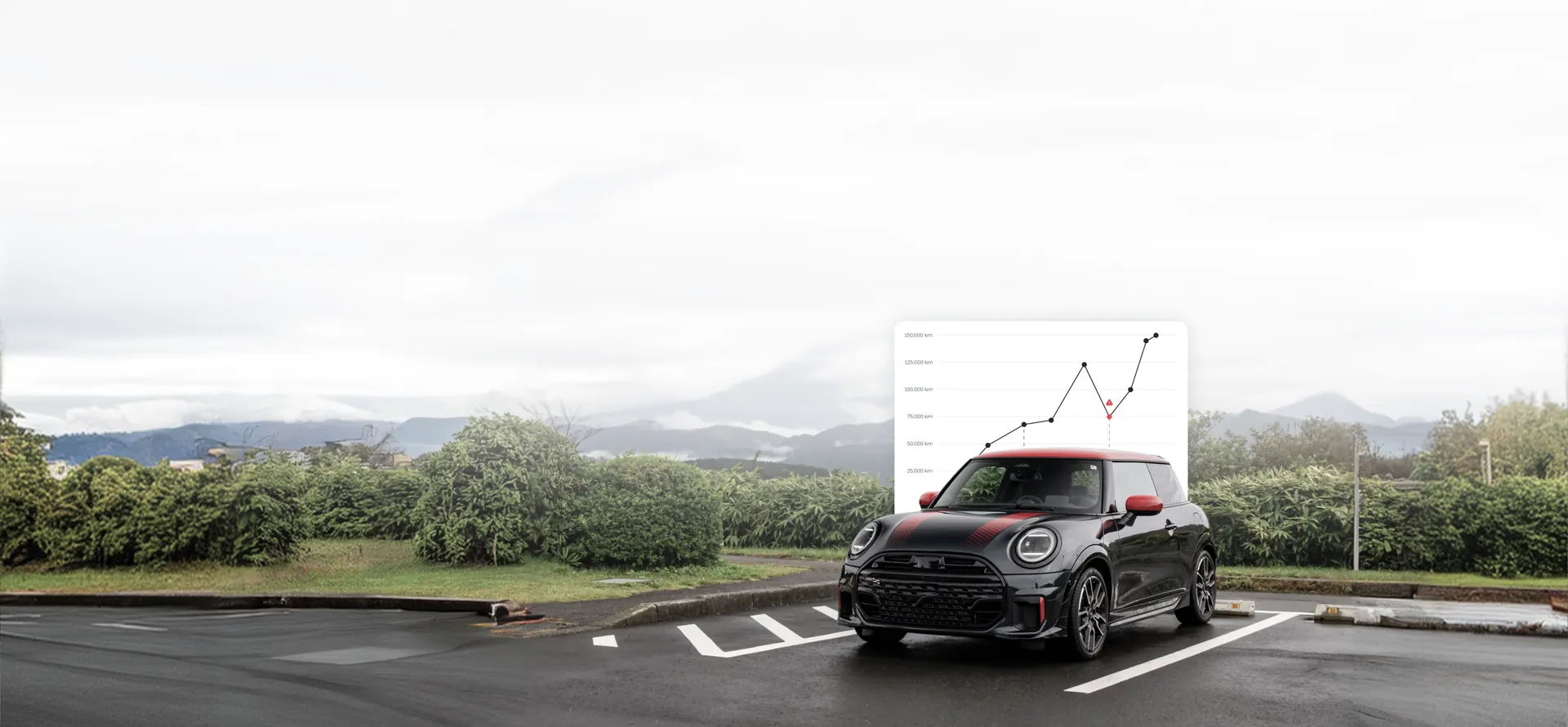
Check the real mileage of any BMW or MINI. CheckVIN plots every recorded reading over time, so a rollback or an impossible jump stands out at a glance.
What is a mileage check?
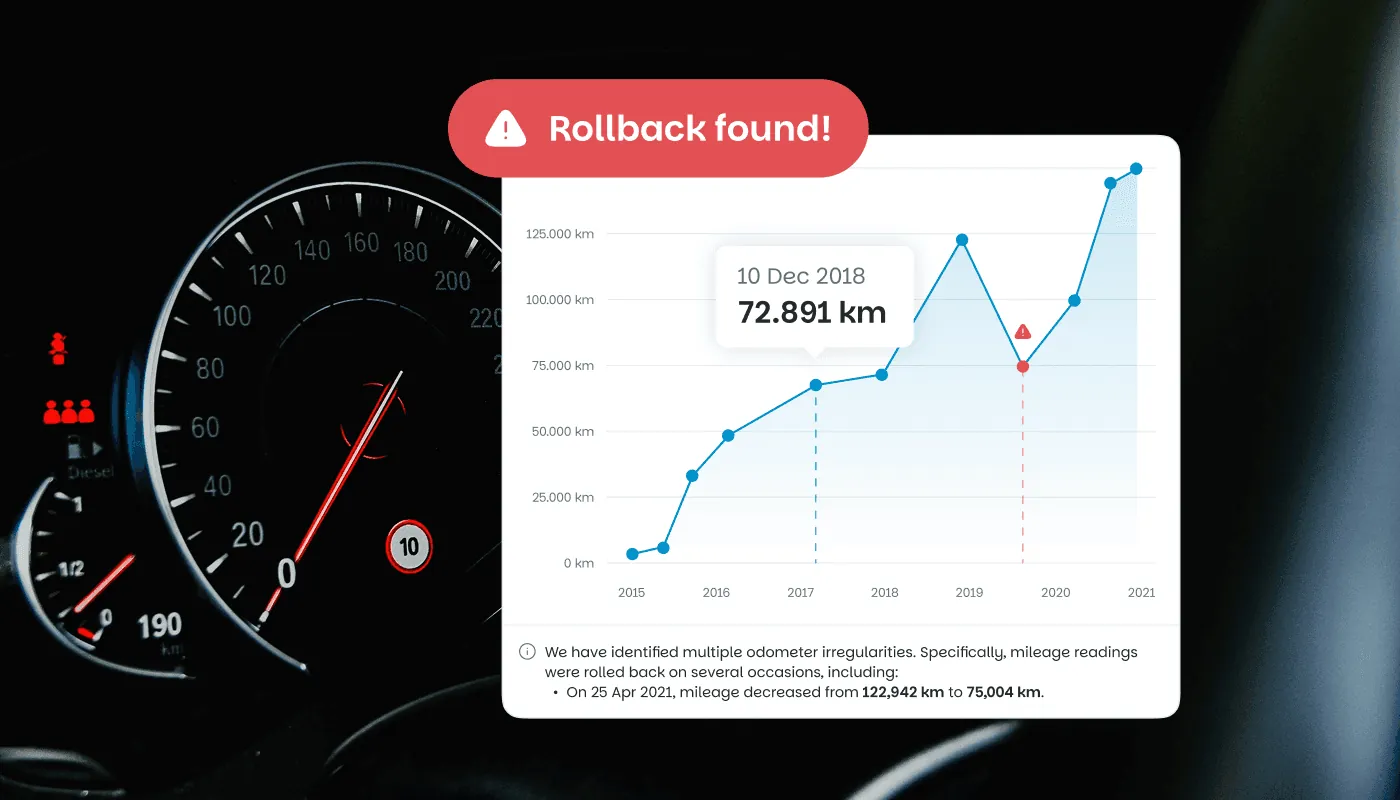
A mileage check looks up every mileage reading recorded for a car over its life, found by its 17-character VIN, and plots them in date order.
When a later reading is lower than an earlier one, or the line drops and then climbs again, the odometer has been rolled back.
CheckVIN draws these readings from multiple licensed data providers, recorded at workshop visits and inspections, so you see the real mileage trend rather than just the number on the dashboard.
How an odometer rollback is hidden, and how CheckVIN finds it
A digital dashboard is easy to alter, which is why the number in front of the driver cannot be trusted on its own. The history is harder to fake, because a reading is logged every time the car passes through a workshop or an inspection.
- Each recorded visit captures the mileage on that date
- CheckVIN plots those readings in order, from oldest to newest
- A genuine odometer only ever rises, so the line should climb
- A dip or a reset breaks that line and is flagged as a rollback
Signs of a rolled-back odometer
The data is the clearest evidence, but these signs are worth checking alongside the report:
- A recorded reading that falls over time instead of rising
- Wear on the pedals, seats and steering wheel that does not match the number shown
- A gap in the service record around the suspicious period
- A reading that is suspiciously low for the car's age and model
How to check a BMW or MINI mileage
Running a check takes about a minute from start to downloaded report:
-
Locate the VIN. It is stamped at the base of the windscreen on the driver's side, printed on the driver's door jamb and shown in the vehicle registration document.
-
Enter the 17 characters into the search box above.
-
Complete a secure payment.
-
Open the report and read the mileage graph, with any rollback already flagged.
Why the recorded history
beats the dashboard
The number on the dashboard is a single figure that can be changed in minutes. The recorded history is a chain of readings taken over years, a workshop-level record sourced through multiple licensed third-party data providers. CheckVIN is independent and not affiliated with BMW AG. No service history on record for a valid VIN? You get an automatic full refund.
That is why the check can be run by anyone, on any eligible VIN, in seconds.
View a sample report
Check the real mileage now
Enter the VIN and see the mileage trend before you trust the number on the dashboard.
- Summary
- Service history
- Mileage overview
- Recalls
- Warranty
- Equipment
Guides for buyers
Help & FAQ
Mileage and rollback:
common questions
Can I check a BMW's real mileage by VIN?
Yes. Enter the 17-character VIN and the report plots every mileage reading recorded for the car over time, so you can compare the real trend against the number shown on the dashboard.
How can I tell if a BMW odometer has been rolled back?
Plot every recorded mileage reading in date order. If a later reading is lower than an earlier one, or the line drops and then climbs again, the odometer has been rolled back. CheckVIN does this automatically and flags the drop.
What are the signs of a rolled-back odometer?
The clearest sign is a recorded mileage that falls over time instead of rising. Others include wear on the pedals, seats and steering wheel that does not match the displayed mileage, a gap in the service record and a reading that is suspiciously low for the car's age.
Does the mileage check work for MINI and Rolls-Royce?
Yes. The mileage check covers BMW, MINI and Rolls-Royce vehicles built by the BMW Group, looked up by VIN.
Where does the mileage data come from?
The readings are recorded at workshop visits and inspections and are supplied through multiple licensed third-party data providers.
Is odometer rollback illegal?
In most countries, altering an odometer to mislead a buyer is illegal and is treated as fraud. A mileage check gives you the recorded evidence to walk away or renegotiate before you buy.
How much does a mileage check cost?
A single report is €10.99. The report is delivered instantly.
Check a VIN before you buy
A few seconds now can save you thousands, and a car you'd regret.