

MINI history
MINI history check by VIN
Look up any MINI by its 17-character VIN, from the Cooper and Countryman to the Clubman and John Cooper Works, and get a dealership-level history in seconds: service, mileage, campaigns and equipment.
In a MINI history you see
- Every recorded workshop visit and date
- Repairs done and parts replaced
- Mileage logged at each entry
- Open technical campaigns and recalls
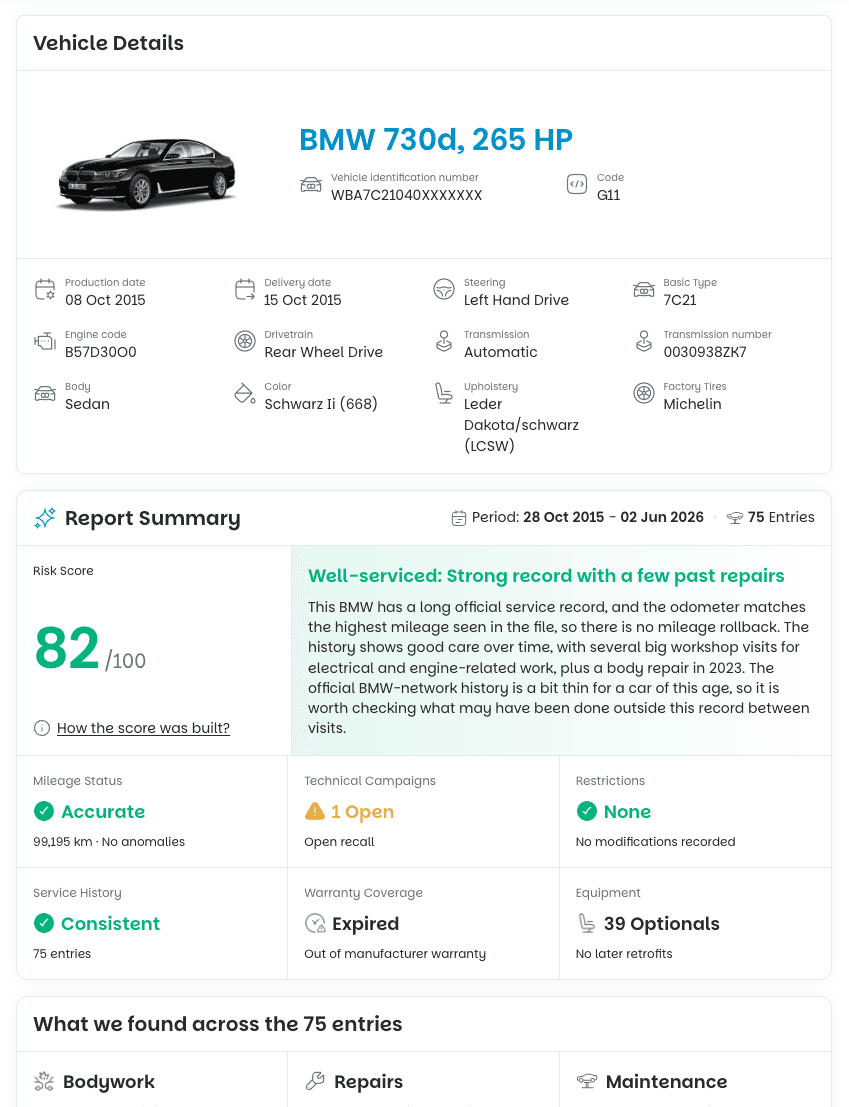
- A condition summary and score
What is a MINI history check?
A MINI history check is a lookup of the record tied to a specific MINI, found by its 17-character VIN.
It shows the car's service history, mileage over time, technical campaigns and factory equipment, so you know how a used MINI was really treated before you buy.
MINI is a BMW Group brand, so a MINI is recorded in the same kind of workshop entries as a BMW, and the report reaches the same dealership-level depth. CheckVIN builds this record from multiple licensed data providers and is independent, not affiliated with BMW AG. No service history on record for a valid VIN? You get an automatic full refund.
Which MINI models you can check
The check works on any MINI built by the BMW Group, looked up by VIN:
- MINI Cooper
- Cooper S
- One
- Countryman
- Clubman
- Convertible
- John Cooper Works
- MINI Electric
Whether it is a three-door city car or a Countryman family SUV, the record is pulled the same way, from the first recorded workshop visit to the most recent one.
What the MINI report includes
Each report brings the full record together in one place. For a used MINI, that covers:
- Every recorded workshop visit, with the date and location
- The maintenance and repairs carried out at each visit
- The specific parts replaced, from filters to major components
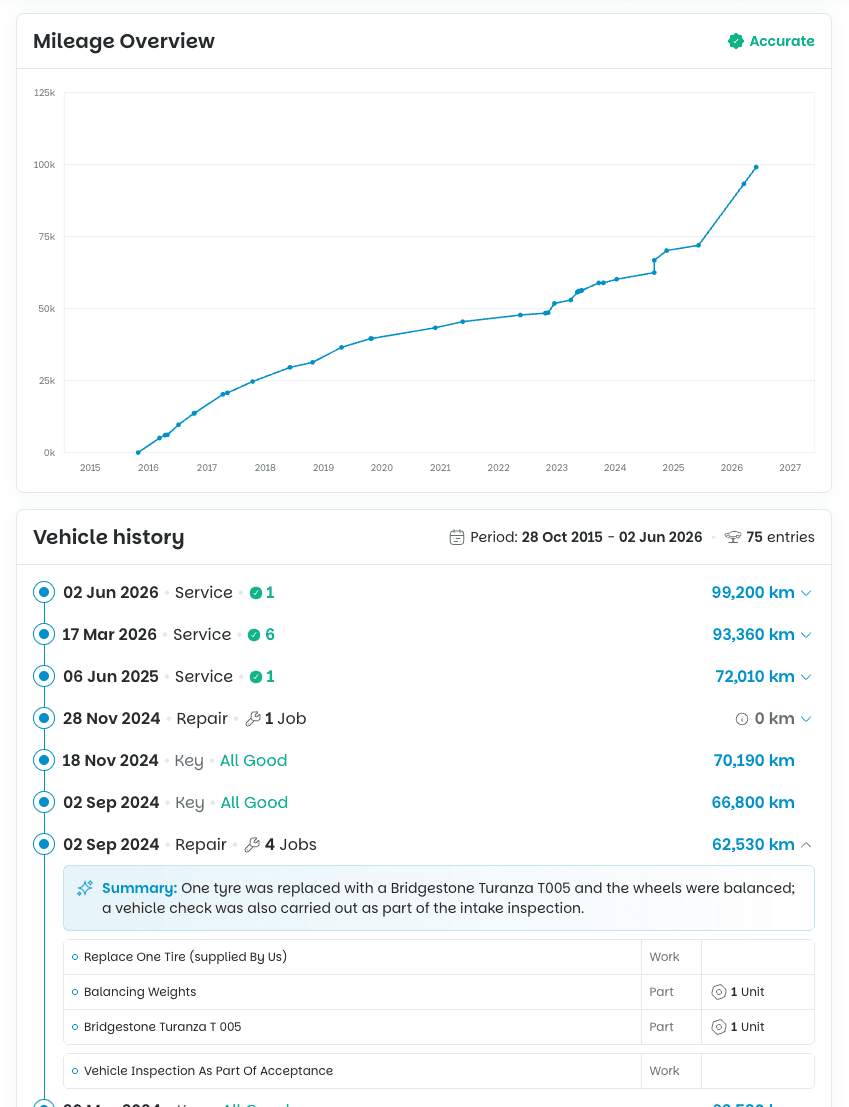
- The mileage logged at each entry, plotted over time
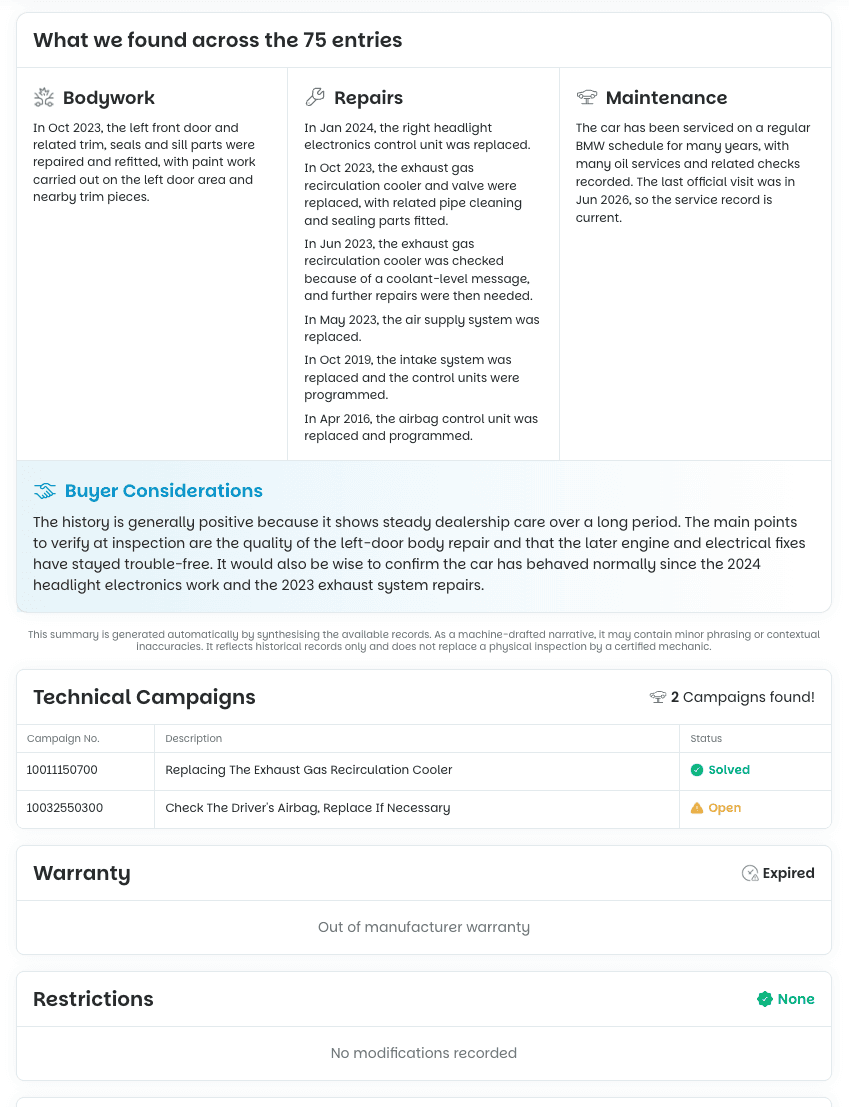
- Technical campaigns and recalls linked to the VIN
- Factory equipment, retrofits and usage restrictions
Why it matters on a used MINI
MINIs are often bought and sold several times and driven hard in the city, so the record matters. A full history shows:
- Whether the MINI was serviced on schedule or has worrying gaps
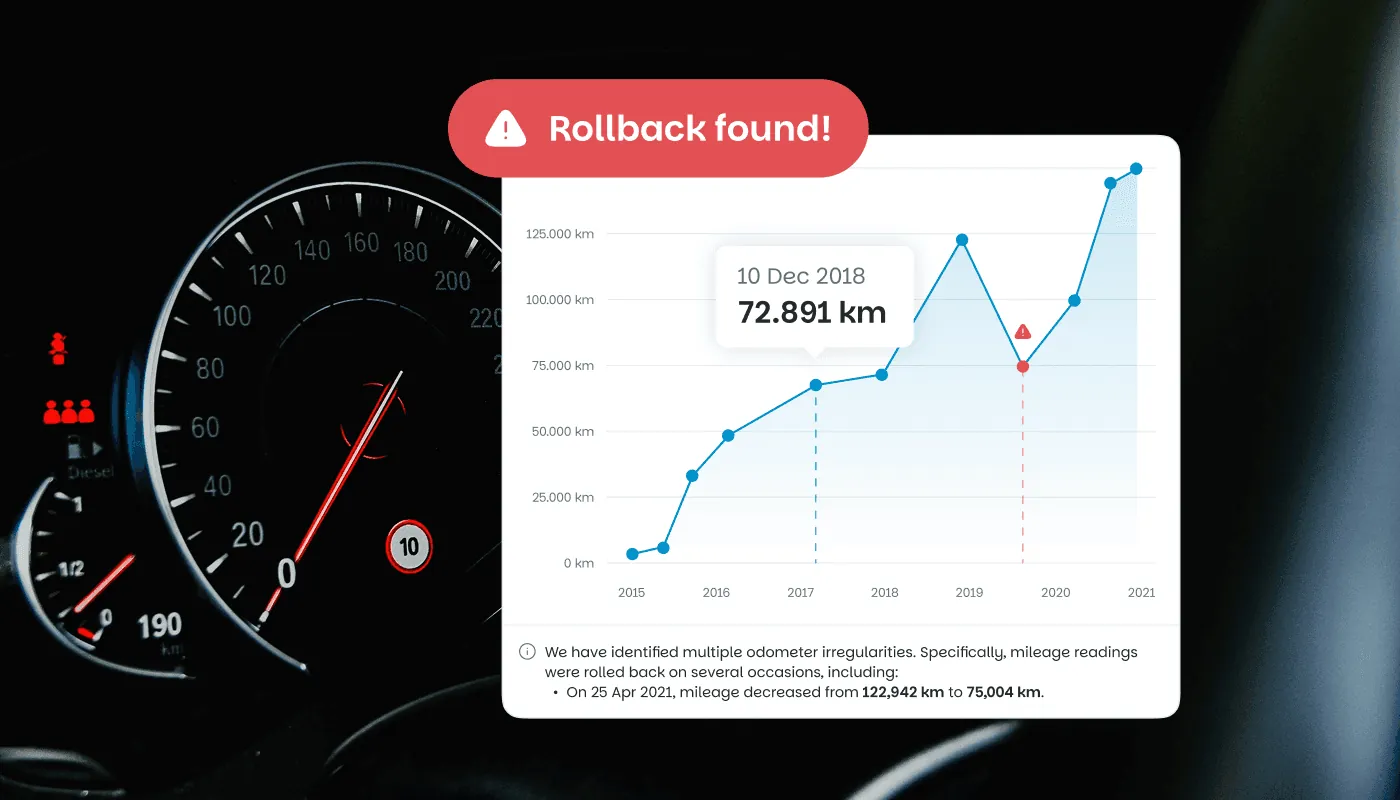
- The real mileage trend, so a rollback or an odd jump stands out
- Major repairs and replaced parts, including work after an accident
- Open technical campaigns or recalls still waiting to be actioned
- Whether the asking price matches how the car was actually treated
How to check a MINI history
Running a check takes about a minute from start to downloaded report:
-
Locate the VIN. It is stamped at the base of the windscreen on the driver's side, printed on the driver's door jamb and shown in the vehicle registration document.
-
Enter the 17 characters into the search box above.
-
Complete a secure payment.
-
Download the full report within seconds and read the MINI history entry by entry
A free VIN decode is not a MINI history
Most free tools only decode what the VIN letters mean. They cannot show what happened to the MINI after it left the factory. Here is the difference at a glance:
| Feature | Free VIN decoder | CheckVIN report |
|---|---|---|
| Factory specification | Yes | Yes |
| Service and repair history | No | Yes |
| Mileage readings over time | No | Yes |
| Technical campaigns and recalls | No | Yes |
| Warranty and service contracts | No | Yes |
| Condition summary and score | No | Yes |
How close is this to a dealership record?
The report is built to dealership-level depth: a workshop-level record of the car's service, mileage and campaigns, gathered from multiple licensed third-party data providers.
That is why the report can be run by anyone, on any eligible VIN, in seconds.
View a sample report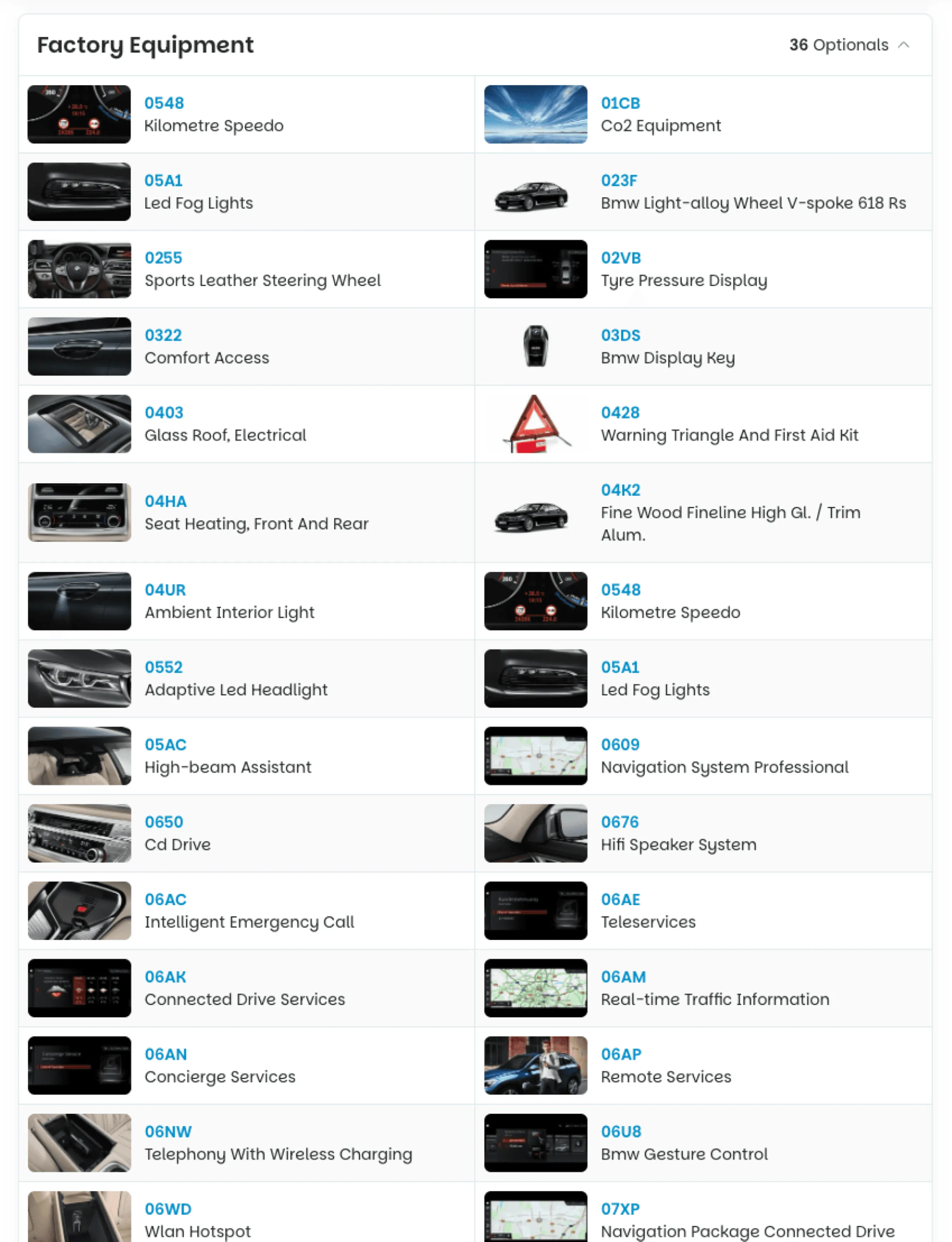

Check a MINI history now
Enter the VIN and read the full record before you commit to a used MINI.
- Summary
- Service history
- Mileage overview
- Recalls
- Warranty
- Equipment
Guides for buyers

Help & FAQ
MINI history check:
common questions
What is a MINI history check?
A MINI history check is a lookup of the record tied to a specific MINI, found by its 17-character VIN. It shows the car's service history, mileage over time, technical campaigns and factory equipment, so you know how a used MINI was really treated before you buy.
Can I check a MINI service history by VIN?
Yes. Enter the 17-character VIN and the report returns a dealership-level service history: workshop visits, repairs, replaced parts and the mileage logged at each entry, where records exist for that MINI.
Where do I find the VIN on a MINI?
The 17-character VIN is stamped at the base of the windscreen on the driver's side, printed on the driver's door jamb and shown in the vehicle registration document.
How much does a MINI history check cost?
A single report is €10.99. The report is delivered instantly.
Which MINI models can I check?
You can check any MINI built by the BMW Group, including the Cooper, Cooper S, One, Countryman, Clubman, Convertible, John Cooper Works and the electric models, looked up by VIN.
Can I see if a MINI has a rolled-back odometer?
Yes. The report plots every recorded mileage reading over time, so a drop or an implausible jump on a used MINI becomes obvious, one of the most common signs of odometer tampering.
Is the MINI data as detailed as a BMW check?
Yes. MINI is a BMW Group brand, so a MINI is recorded in the same kind of workshop entries as a BMW, and the report reaches the same dealership-level depth as a BMW check.

Check a VIN before you buy
A few seconds now can save you thousands, and a car you'd regret.